
AI-powered image quality

Free AI Photo Enhancer — ai enhancer for clearer images

Turn blurry, old, low-resolution, and AI-generated images into sharper, more balanced visuals with a simple creative workspace.Enhance, restore, and upscale photos in seconds.

Describe an image or upload one to begin
0 / 4000

Free to start · no signup · ~10 s

Try an example

Make every image clearer with a focused ai enhancer

Designed for fast, polished image improvements

Made for creators everywhere

From quick social edits to careful photo restoration, Aienhancer keeps image quality work simple and accessible.

Portrait creators Family archives Design studios Online sellers Content teams Digital artists
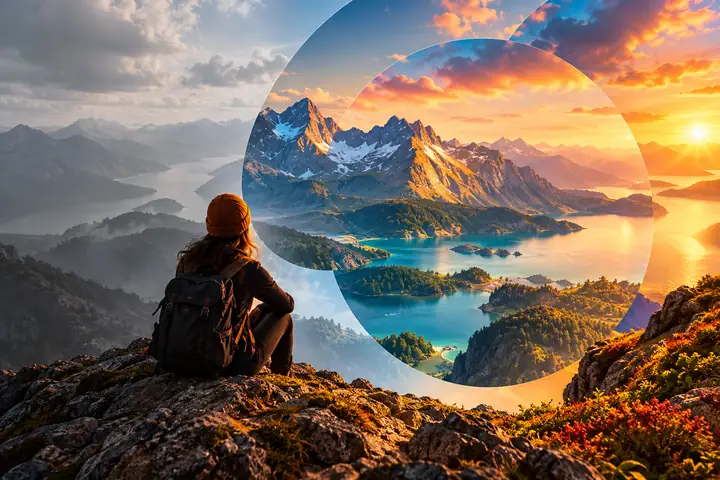
Creative workspace showing a photo being restored from a soft original into a clear finished image

How to enhance photo quality?

In four simple steps, turn blurry snapshots, old photos, and AI-generated artwork into cleaner, more useful images.

1

Step 1: Upload Your Image

Choose any photo you want to improve and send it to the Aienhancer workspace.

2

Step 2: Select Enhancement Mode

Pick the kind of improvement you need, from detail recovery and upscaling to color and AI-art repair.

3

Step 3: Preview the Enhanced Result

Compare the original and improved image so you can check sharpness, texture, and color balance.

4

Step 4: Download in High Quality

When the result feels right, continue to the destination tool to save and use your improved image.

Enhance Low-Quality Photos with AI Photo Enhancer

Restore, sharpen, and transform difficult images with practical AI-assisted improvements.

1

Enhance Blurry Images to 4K

Transform soft, low-resolution photos into clearer images with recovered fine detail and more convincing texture.

2

Improve Clarity and Sharpness

Reduce haze, noise, and pixelation while keeping edges, faces, and important details natural.

3

Revive Colors Naturally

Bring faded or washed-out images back to life with more balanced brightness, contrast, and saturation.

4

Repair AI-Generated Image Distortions

Correct awkward details, uneven faces, and unnatural textures so AI artwork feels more polished and coherent.

What You Get with AI Photo Enhancer

Everything you need to enhance photo quality resolution

Restore old photos, fix blurry shots, upscale low-resolution images, and make every picture clearer, brighter, and ready to use.

Faded family photograph restored with warm color and recovered facial detail

Enhance Old Photos

Bring faded, yellowed, or damaged images back to life by restoring detail and color.

Blurry outdoor photograph refined into a sharp natural scene

Repair Blurry Shots

Improve motion blur and soft focus so edges become clearer without over-editing the picture.

Small compressed digital image enlarged into a clean detailed photograph

Upscale Low-Resolution Images

Turn pixelated images and screenshots into larger, cleaner visuals with more usable detail.

Dark noisy portrait brightened with controlled light and reduced grain

Beautify Dark & Noisy Photos

Open up shadow detail, reduce distracting grain, and keep the mood of the original image.

AI-generated artwork refined with balanced anatomy, smooth texture, and consistent lighting

Correct AI-Generated Art

Refine distorted faces, hands, and textures so creative images feel more intentional.

Clean product photograph with crisp edges, even lighting, and a refined background

Enhance Product Photos

Make product details, edges, and colors more consistent for storefronts and marketing visuals.

What Our Users Say

Simple tools for restoring, repairing, and improving the images you care about.

“I uploaded some old family photos and was amazed. The image enhancer brought back details and colors I thought were gone, and the process felt wonderfully simple.”
ER
Emily R., Female@emily_creative
“The tool cleaned up my blurry vacation shots beautifully. The clarity and color improvement made them ready to share in just a few moments.”
JL
Jason L., Male@jason_photog
“I make AI-generated art and often see strange distortions. The enhancer helped correct warped faces and textures, so my final work feels much more polished.”
SM
Sophia M., Female@sophia_artist

AI Photo Enhancer FAQs

Answers to common questions about improving image quality with Aienhancer.

How to enhance photo quality?
Upload your image, choose the enhancement direction that fits your goal, and continue through the destination tool to restore detail and improve clarity.
Can AI Photo Enhancer fix blurry photos?
It can help sharpen soft edges and recover visible texture in many blurry or out-of-focus images while keeping the result natural.
How can I improve colors and lighting in my photos?
Use an enhancement prompt that describes the desired balance, such as brighter shadows, more natural skin tones, or restored color in a faded photograph.
Can it repair AI-generated images with distortions?
Yes, the workflow is suited to requests for correcting warped facial details, unusual hands, inconsistent textures, and uneven lighting in generated artwork.
What types of images can I enhance?
You can work with portraits, family photos, landscapes, product images, screenshots, social graphics, and AI-generated artwork.
Is AI Photo Enhancer suitable for professional use?
It is useful for creative drafts, product imagery, social content, photo archives, and other projects where cleaner detail and more balanced visuals matter.
Do I need to install software to use it?
No desktop installation is required to begin from this page. Select an action and continue to the linked image tool in your browser.
Is AI Photo Enhancer free to use?
You can start from this page without an upfront commitment. The destination tool will show its current access and usage details before you continue.
Start creating
Start creating